SlatifyOSNow in pilot
Your learning space.
Right on the school tablet.
SlatifyOS is Slatify’s own operating system for learning: lessons, classwork, calls and your school’s approved apps, in one focused space.
It comes on Slatify tablets, ready to use. Each student gets a space of their own, and the school manages the rest.
Comes on Slatify tablets · Managed by your school
Ready out of the boxSlatifyOS comes on Slatify tablets
School-approved appsChosen from the dashboard
For students
Your own space to learn and create.
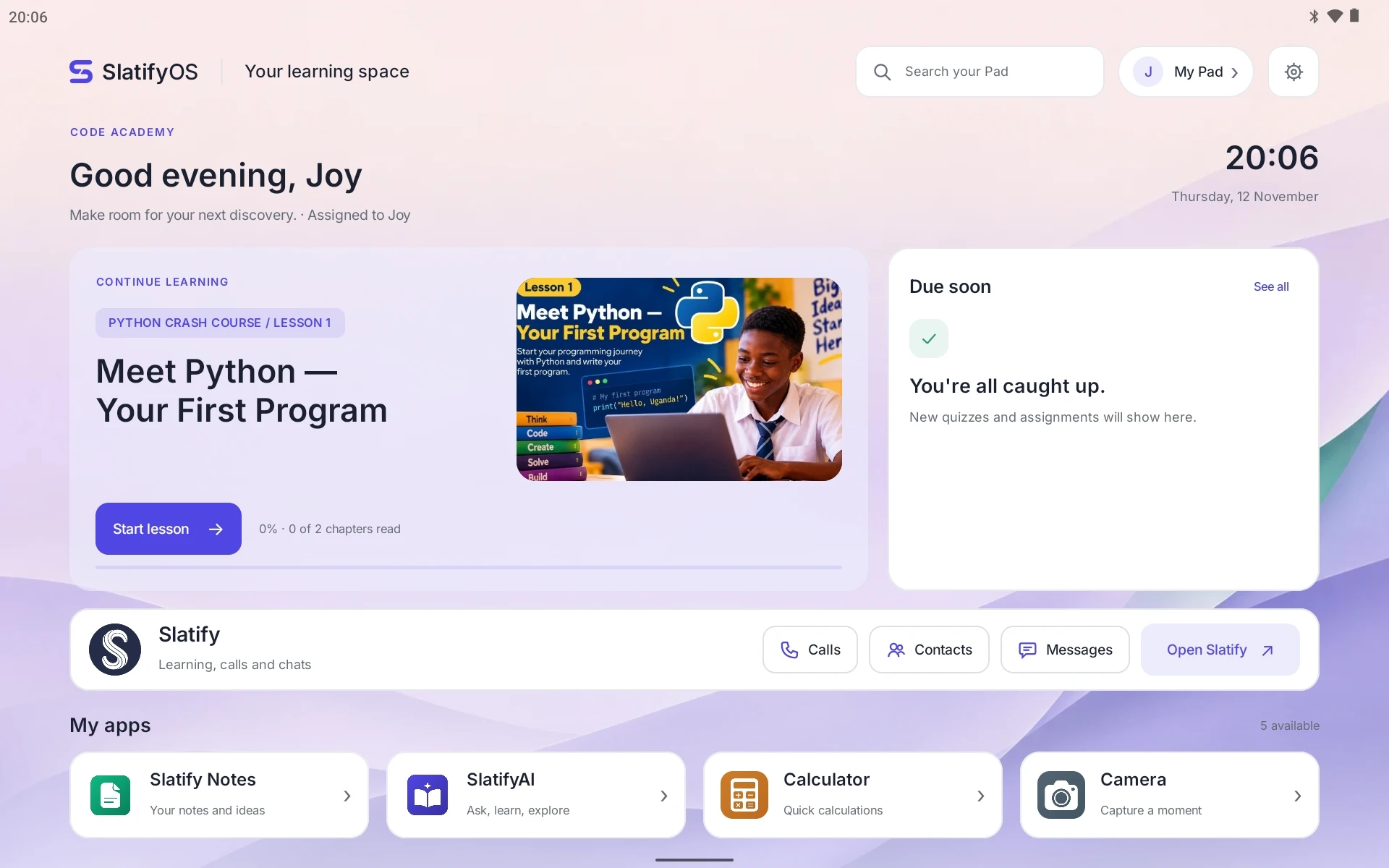
Open the tablet and pick up where you left off. Everything you need for school is on one Home, and nothing pulls you away from it.
Continue learning
Your current lesson, course and progress on Home, with one tap to start or resume.
Due soon
Upcoming quizzes and assignments, together in one panel.
Calls, contacts and messages
Your Slatify calls, contacts and messages, a tap away from Home.
Your school’s apps
Only the apps your school approves, including Slatify Notes and SlatifyAI.
Notifications in one place
Pull Home down to see what’s new from your apps.
Search everything
Find apps and classwork from one search bar.
The Slatify Store
Slatify apps like Slatify Notes and SlatifyAI install and stay up to date automatically over Wi-Fi.
Slatify all the way through
A branded lock screen and startup, and Slatify’s own cut, copy and paste menu.
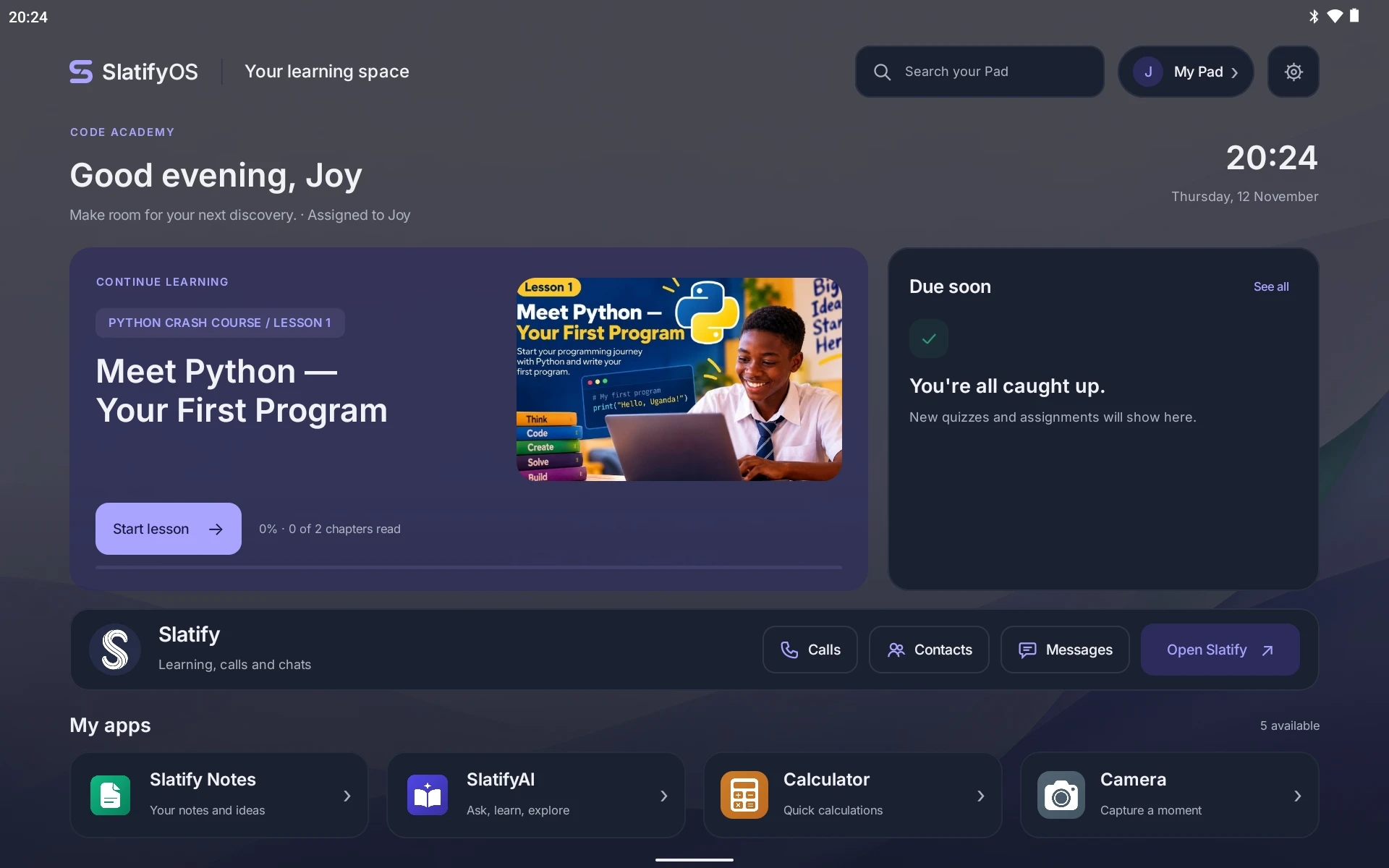
Make it yours
Light or dark.
Your colour. Your name.
In My Pad, students choose a light or dark theme, an accent colour, a font, and which widgets appear on their Home. They can set the name they’d like to be called, and a PIN to lock their tablet.
- Indigo
- Blue
- Teal
- Green
- Orange
- Pink
For schools and teachers
Ready out of the box.
Managed from the dashboard.
Slatify tablets arrive with SlatifyOS ready to go. Your school chooses the apps and assigns the tablets from the Slatify admin dashboard.
- 1
Arrives ready
Slatify tablets come with SlatifyOS on them, ready for your school from day one.
- 2
Make it your school’s
Choose your school’s apps and policies from the Slatify admin dashboard.
- 3
Hand it over
Assign the tablet to a student, or keep it as a shared tablet.
Your school stays in control
- Allowed appsChoose the apps students can open from the dashboard.
- Personal or shared tabletsAssign a tablet to one student, or set it up to be shared.
- Always up to dateSlatify apps update automatically over Wi-Fi.
- Focused by designEverything on the tablet is built for learning.
- Staff AccessStaff unlock the tablet for timed maintenance with a staff PIN, then it locks again.
Where SlatifyOS is today
Now in pilot.
SlatifyOS is running on pilot tablets today. If your school would like to take part, we’d love to hear from you.
What is SlatifyOS?
SlatifyOS is Slatify’s own operating system for learning. Lessons, classwork, calls and messages, and your school’s apps all live together in one focused space.
How do we get SlatifyOS?
SlatifyOS comes on Slatify tablets, ready to use. It isn’t available to download or install separately.
Which apps can students use?
The apps their school approves, including Slatify Notes and SlatifyAI. Slatify apps stay up to date automatically over Wi-Fi.
How does it work with the Slatify app?
Slatify is at the centre of Home. Students continue their lessons, see what’s due and reach their Slatify calls, contacts and messages straight from the Home screen.
How does our school join the pilot?
Request a pilot and tell us about your school. We’ll get in touch to plan your pilot with you.
Bring SlatifyOS to your school
Give students a focused place to learn.
Join the SlatifyOS pilot and see how a dedicated learning space works in your classrooms.